

Surveys and polls

Surveys and polls that put the audience center stage

With SharEvent you can create live event surveys and polls simply and immediately. Involve the audience, gather feedback in real time and increase interaction during conferences, meetings and training sessions.
Live event surveys and polls in SharEvent

“Turn every event into a conversation: give attendees a voice, listen to their views and make them an active part of the experience.”

KEY FEATURES

Live polls and interactive surveys, all in one module

Build and run surveys and polls that make attendees an integral part of every event. Gather answers and opinions in real time, check understanding and improve your training.

Build a survey in minutes

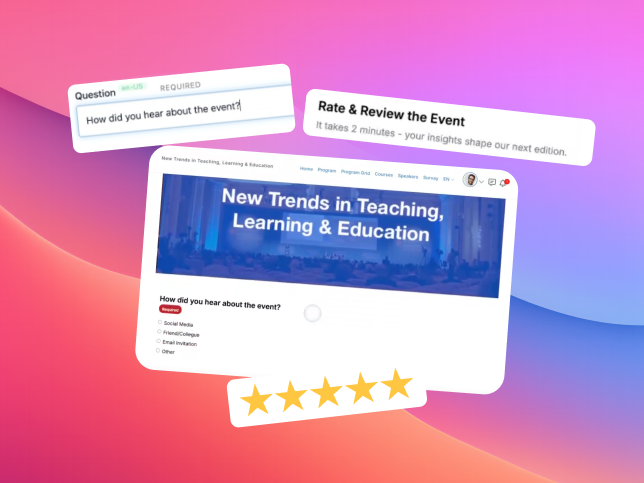
Create questions in a few clicks, with no technical skills and no complicated steps: set the questions, choose the answer format and publish the survey.
A simple, immediate way to gather impressions, measure satisfaction, capture preferences or bring in ideas that enrich the program.
See how
Quickly building an event survey in SharEvent

Real-time voting and clear results

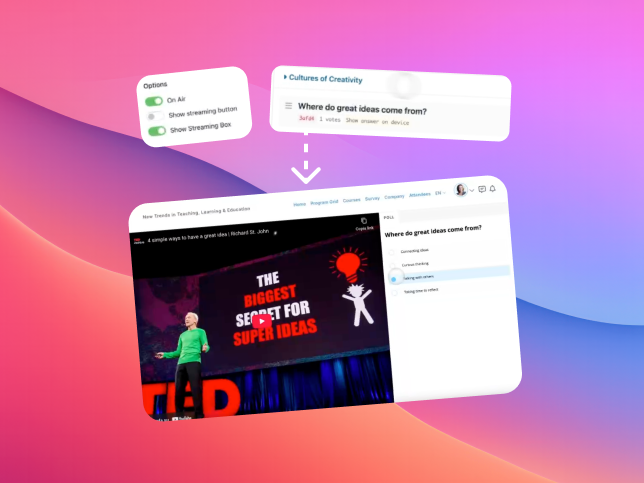
Live polls are especially useful during plenary sessions, workshops or decision-making moments. Attendees vote, the platform gathers the answers and immediately shows a clear, readable summary, ready to share on screen or drop into a presentation, in real time if needed.
See how
Live event polls with real-time results in SharEvent

Surveys linked to certificates

The survey feature can be built into the event's learning paths and become part of the process for awarding certificates.
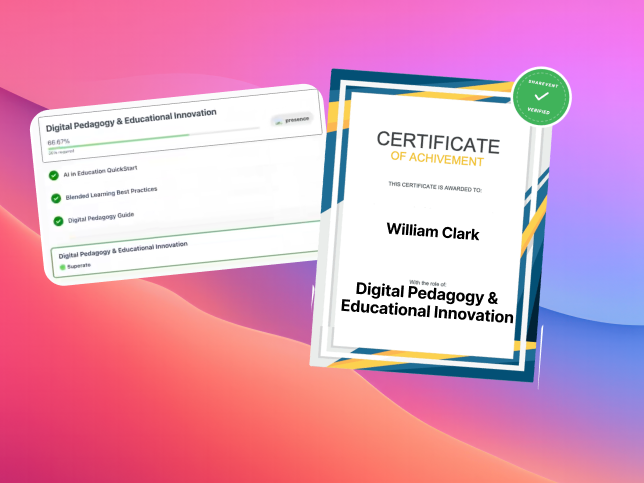
You can make completing the survey a required step for receiving the final certificate, ensuring a complete and verified set of data.
The system handles it all automatically: it records the answers and unlocks the certificate only for attendees who have finished every required activity.
See how
SharEvent surveys tied to awarding the certificate

Answer from any device

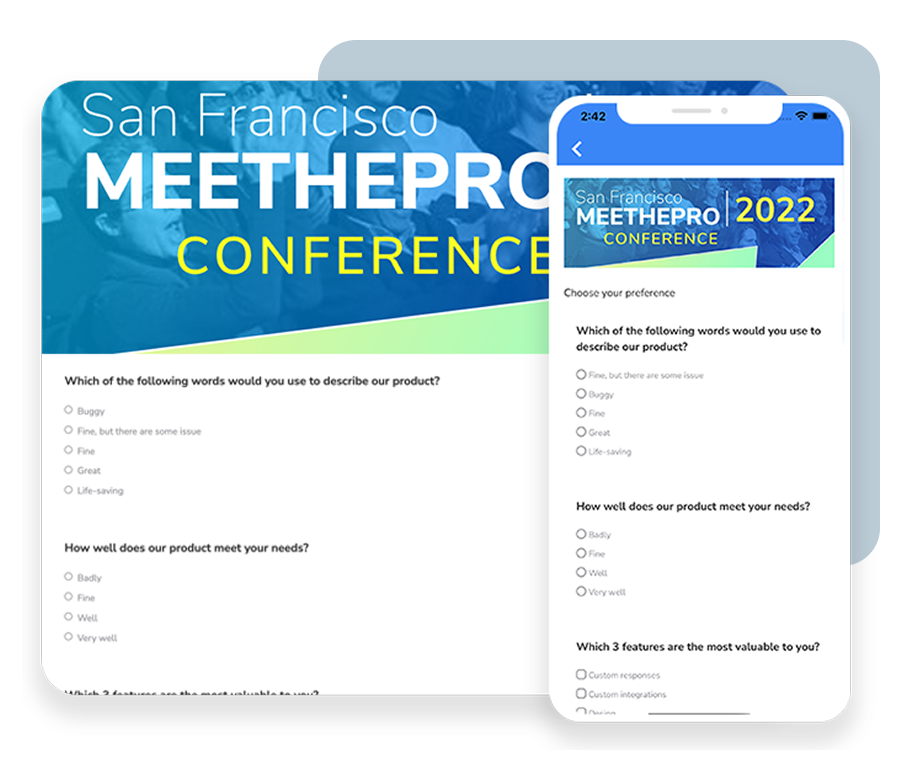
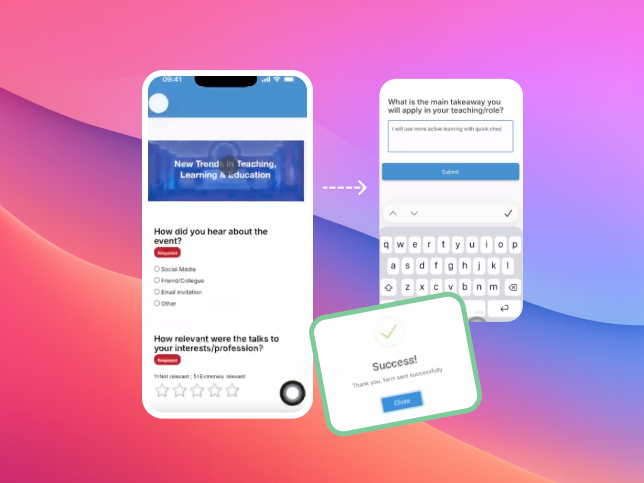
Surveys and polls are fully cross-platform: attendees can complete them from a computer, tablet or smartphone, with no difference in the experience.
Whether they are in the room, on the move or joining remotely, the content adapts to the screen and stays easy to fill in.
For the organizer, that means a higher response rate, fewer barriers to interaction and more natural engagement.
See how
Completing surveys from any device in SharEvent
Advanced options

Flexible display options

INTERACTIVITY
Involve the audience
Encourage participation and turn spectators into active contributors at every event.
FLEXIBILITY
Access from anywhere
Attendees answer from the app or a browser, in person or online.
TRANSPARENCY
Results in real time
Clear, immediate charts show the value of the audience's contribution straight away.
CUSTOMIZATION
Tailored questions
Surveys can be configured with different question types, access rules and scoring criteria.

FAQs

  • How do live polls work?

    Staff open each question and attendees vote in real time from the app or a browser. The results are gathered and projected immediately.

  • Can I run polls during a live stream as well?

    Yes. The module is integrated and lets the online audience take part exactly as if they were in the room.

  • What kinds of question can I use in surveys?

    Single-answer, multiple-answer and open-ended questions, or star ratings, with time limits and access rules if you need them.

  • Are the results visible only to the organizers?

    No. You decide whether to show them to the audience straight away, project them in the room, or keep them private for post-event analysis.

  • Can surveys be linked to training courses?

    Yes. You can set attempts, pass thresholds and custom criteria, turning surveys into certifiable training tests.

  • Do people have to download an app to take part?

    Not necessarily: they can answer from the event app or simply from a browser, through a dedicated link.

● Get started

Start building your event today

Join the organizers and companies that chose SharEvent to manage,
promote and grow their events.